JSON Comparator — Diff and Merge Objects
Instant JSON Validation and Transformation. Spot every added key, removed value, and nested structural change across objects of any size — then merge them with full control.
Side-by-Side Diff Engine
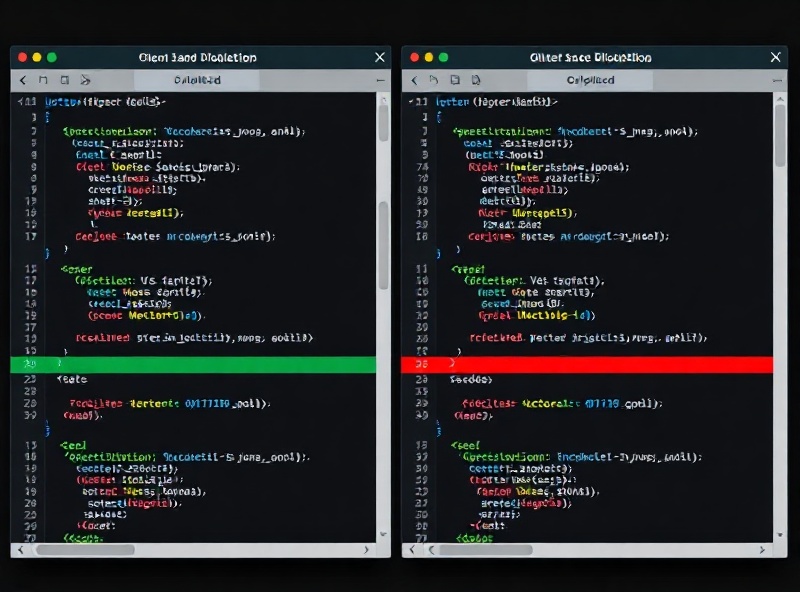
Paste two JSON documents into the dual panes and watch the comparator highlight every divergence — from top-level key additions to deeply nested type mismatches at config.services[2].auth.providers[].scopes.
Path-Level Diff Tracking
Every change is labeled with its full JSONPath — for example $.users[7].preferences.theme changed from "dark" to "light" — so you can jump straight to the relevant line in your source file.
Type Mismatch Detection
The engine flags when a key shifts types between versions. If $.response.code was an integer 200 in v1 and becomes the string "200" in v2, the diff surfaces it as a critical type drift.
Large-Payload Handling
Objects up to 50 MB and 200 000 keys are processed client-side in under 3 seconds on a modern laptop. No upload, no server round-trip — your data never leaves the browser.
Real-World Use Cases
Teams across infrastructure, product, and data engineering rely on the comparator to keep JSON-based configurations and payloads consistent.
Terraform State Drift Audits
Infrastructure engineer Priya Nair at CloudScale runs nightly diffs between terraform.tfstate exports and the desired-state manifests stored in Git. The comparator catches the 3–5 subtle key renames each sprint — like subnet_id becoming subnet_identifier — before they break CI pipelines.
API Schema Migration Reviews
When Stripe updated their webhook payload format in March 2024, the payments team at Payflow used the comparator to diff 12 sample event envelopes. They identified that $.data.object.charge.refund_status was removed and replaced with $.data.object.refunds.status, then wrote a transformation script in under an hour.
Feature-Flag Config Reconciliation
LaunchDarkly-style JSON flag files grow fast. At Meridian Health, the platform team compares prod vs. staging flag bundles (typically 800–1 200 keys) every deployment window. The diff report feeds directly into their Slack #deploy-alerts channel with a summarized change count.
Localization File Audits
Translation agencies deliver updated en.json and fr.json bundles monthly. The comparator flags missing keys — such as $.nav.settings.privacy_policy_link present in English but absent in French — so QA can prioritize before the next release.
Merge Logic — How Conflicts Are Resolved
After diffing, the merge panel lets you combine two objects with three deterministic strategies. Every decision is logged so you can audit the resulting document.
Shallow Merge (Key-Last-Wins)
Top-level keys from the right-hand document overwrite the left-hand document without recursing. If both sides define $.database.host, the right-hand value "db-prod-02.internal" wins. Nested objects are replaced wholesale — no deep traversal occurs. Ideal for patching a config with a small override file.
Deep Merge (Recursive Union)
Objects are merged recursively. Arrays are concatenated. Scalar conflicts are resolved using the right-hand value by default, but you can flip individual keys to "keep left" in the merge editor. For example, merging two plugins arrays yields a combined list of 14 entries instead of overwriting the original 9.
Conflict Report Export
Every merge produces a downloadable JSON report listing each conflicted path, the left value, the right value, and the chosen resolution. The report for a typical 500-key merge contains roughly 30–60 conflict entries and is timestamped with ISO 8601 precision for audit trails.
All merge operations run locally in your browser. No data is transmitted to any server. The resulting merged JSON can be copied, downloaded as merged.json, or piped directly into the JSONForge Formatter for pretty-printing.
JSON Comparator — Diff and Merge Objects
Instant JSON Validation and Transformation. Spot every added key, removed value, and nested structural change across objects of any size — then merge them with full control.
Side-by-Side Diff Engine
Paste two JSON documents into the dual panes and watch the comparator highlight every divergence — from top-level key additions to deeply nested type mismatches at config.services[2].auth.providers[].scopes.
Path-Level Diff Tracking
Every change is labeled with its full JSONPath — for example $.users[7].preferences.theme changed from "dark" to "light" — so you can jump straight to the relevant line in your source file.
Type Mismatch Detection
The engine flags when a key shifts types between versions. If $.response.code was an integer 200 in v1 and becomes the string "200" in v2, the diff surfaces it as a critical type drift.
Large-Payload Handling
Objects up to 50 MB and 200 000 keys are processed client-side in under 3 seconds on a modern laptop. No upload, no server round-trip — your data never leaves the browser.
Real-World Use Cases
Teams across infrastructure, product, and data engineering rely on the comparator to keep JSON-based configurations and payloads consistent.
Terraform State Drift Audits
Infrastructure engineer Priya Nair at CloudScale runs nightly diffs between terraform.tfstate exports and the desired-state manifests stored in Git. The comparator catches the 3–5 subtle key renames each sprint — like subnet_id becoming subnet_identifier — before they break CI pipelines.
API Schema Migration Reviews
When Stripe updated their webhook payload format in March 2024, the payments team at Payflow used the comparator to diff 12 sample event envelopes. They identified that $.data.object.charge.refund_status was removed and replaced with $.data.object.refunds.status, then wrote a transformation script in under an hour.
Feature-Flag Config Reconciliation
LaunchDarkly-style JSON flag files grow fast. At Meridian Health, the platform team compares prod vs. staging flag bundles (typically 800–1 200 keys) every deployment window. The diff report feeds directly into their Slack #deploy-alerts channel with a summarized change count.
Localization File Audits
Translation agencies deliver updated en.json and fr.json bundles monthly. The comparator flags missing keys — such as $.nav.settings.privacy_policy_link present in English but absent in French — so QA can prioritize before the next release.
Merge Logic — How Conflicts Are Resolved
After diffing, the merge panel lets you combine two objects with three deterministic strategies. Every decision is logged so you can audit the resulting document.
Shallow Merge (Key-Last-Wins)
Top-level keys from the right-hand document overwrite the left-hand document without recursing. If both sides define $.database.host, the right-hand value "db-prod-02.internal" wins. Nested objects are replaced wholesale — no deep traversal occurs. Ideal for patching a config with a small override file.
Deep Merge (Recursive Union)
Objects are merged recursively. Arrays are concatenated. Scalar conflicts are resolved using the right-hand value by default, but you can flip individual keys to "keep left" in the merge editor. For example, merging two plugins arrays yields a combined list of 14 entries instead of overwriting the original 9.
Conflict Report Export
Every merge produces a downloadable JSON report listing each conflicted path, the left value, the right value, and the chosen resolution. The report for a typical 500-key merge contains roughly 30–60 conflict entries and is timestamped with ISO 8601 precision for audit trails.
All merge operations run locally in your browser. No data is transmitted to any server. The resulting merged JSON can be copied, downloaded as merged.json, or piped directly into the JSONForge Formatter for pretty-printing.